Death and Taxes and Passwords…Oh My!

by Allen Dresser on March 2, 2013

in Security

Death and Taxes and Passwords…”Oh My!”

With so many digital assets in our lives  these days it takes a wake-up call to realize how critical online accounts are AFTER we die. Everyone knows the famous two things that are certain in life – Death and Taxes. Recently in our church class, appropriately named “Set Your House In Order” a good friend brought in a Wall Street Journal article  “What a Tangled Web We Leave”  about the trials and tribulations for loved ones after a spouse’s unexpected death. Not having the  passwords to email, social media and financial accounts can be extremely frustrating. Make sure your survivors have the information needed to log on to all your accounts, especially at this very challenging time. In this next example someone got advanced notice and instructions BEFORE they died.


In those days Hezekiah became mortally ill. And Isaiah…came to him and said to him, “Thus says the LORD, ‘Set your house in order, for you shall die and not live.’” Isaiah 38:1 NASB


We usually do not get advanced notice that we shall die at any appointed time.  Most people don’t want to think of their mortality and put off getting their documents in order BEFORE they die. There are many sources on what documents are needed for your estate and one of the best summaries I have read is  “25 Documents You Need Before You Die“.


“What about the Passwords?”
Recent events in the lives of friends and family and business associates  have taught me that a big part of setting your house in order is manage your passwords. Yes, passwords. This often annoying but absolutely necessary  part of modern life can escalate to critical levels quickly after the death of a loved one.  Making password management a part of your end-of-life plan can be one of the most thoughtful things you do for your survivors. A word of caution – do not list user names and passwords in your will. After probate, the will becomes accessible to the public. Even if the estate does not go through probate the law requires that the will be filed.


Passwords – Making Them More Secure
In an earlier article, I wrote about ways to create and manage strong passwords. There are manual and automated ways to create passwords. For the security required today, I recommend using automated passwords with a mix of letters, numbers and special characters. To protect online accounts from hackers passwords must  be 14-15 characters long. If you need the reasons for that, just Google “Brute Force Password Cracker”. If you use simple passwords, especially words in the dictionary,  hackers can crack them in a matter of  seconds.  WordPress Security Expert Regina Smola has lots of great information on passwords and Internet security. This article from WPSecurityLock.com has solid advice on managing your passwords.


Passwords – In a Mobile World
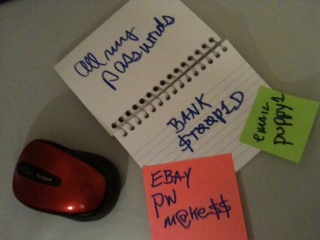
Now that you are convinced you need strong passwords, you will need a management tool to keep track of them.  The days of keeping a few passwords on sticky notes on your monitor or under the keyboard are over. Why is that? The mobile device explosion has changed everything we knew about accessing online resources. If you need to log on to the bank from your smart phone, the stickies at home won’t help. So, what is the answer?

 
Passwords Managers – Which one do I use?
I have learned that it is impossible to keep up with passwords on paper. At current count, I have 107 passwords to various accounts online!  You might think that is absurd, but take an inventory of our own and good luck finding all the sticky notes! You will be surprised. The logical conclusion is: You need a web-based system (in the Cloud)  to manage your passwords. But you may say “I use the same password for everything”. Ouch! I once did that too, until I got hacked.  Don’t do that anymore! Decide to change your evil ways and use a Password Manager.

My two recommendations for password managers are Roboform and Lastpass. I realize there are many other contenders available, free and otherwise, but these two have risen to the top as the best. A common element of both these is there is only one password to remember… the master password. Choose wisely and keep the master password safe. You can’t get in without it!

Roboform
Roboform has been around for years and has been the password manager of choice for many folks. There is a “free” version but you will need the paid version to cover your needs. The paid versions with a Roboform Everywhere account will enable you to synchronize all your passwords on all your devices. With mobile devices, the “everywhere” option is a must-have.  Roboform costs around $30 per year and has a long track record and lots of users. The”Everywhere” option is a subscription based charge that runs $10-20 per year. Roboform is feature-rich and still one of the best password management programs available.


Lastpass
Recently, Lastpass has risen to the top challenging the long-time champion, Roboform. Lastpass is available free but I recommend the premium version that costs a whopping $1.00 per month. The advantages to the premium version are will worth $12 a year and comes as a better value of the two. If you don’t have an existing manager for your passwords, download Lastpass and get started. If you have Roboform and are satisfied with it, stay with it. Whatever you do, don’t continue to be negligent about getting your passwords in order.


Final Thoughts
Before you die, be sure and share the “keys to the kingdom”, that master password, with only your trusted family members, especially the executor of your estate. Be sure they know how to use the Password Manager and test the process. There are plenty of things for your survivors to deal with after your death. Don’t make the lack of passwords an additional burden. Set your house in order.
If you have comments and suggestions on password management, please share. What password manager are you using?
Have you included your “digital after-life” information in your estate plans?


{ 0 comments }

Business Continuity And Blogging – Plan Ahead Now!

by Allen Dresser May 7, 2011

Thinking About Risk As many bloggers have found out in recent times, the ease and joy of setting up a WordPress self-hosted blog can turn sour quickly. Reality strikes in many forms – hackers, hosting service issues, getting blocked by Google and countless other risks. In the off-line world natural disasters, fire and flood can [...]

0 comments Read the full article →

Internet Change Your Password Day!

by Allen Dresser February 16, 2011

  “Internet Change Your Password Day” This new annual event has been created by Internet Tech Guy to remind you to change your passwords on a regular basis. Start with these tips and take action to celebrate Internet Change Your Password Day!   Make your passwords at least 14 characters…really! Make your passwords a mix of letters, [...]

0 comments Read the full article →

Thanks For Paying Attention!

by Allen Dresser November 11, 2010

We would like to send out a big thanks to everyone that participated in National Cyber Security Awareness Month! I hope everyone will be more alert and PAY ATTENTION while on line. ‘Tis the Season! The holiday season is coming upon us quickly and the retailers aren’t the only ones looking forward to sales and [...]

0 comments Read the full article →

National Cyber Security Awareness Month

by Allen Dresser October 13, 2010

As you know, this site is very focused on computer and Internet Security. Because of this focus, we at Internet Tech Guy fully support and endorse National Cyber Security Awareness Month (NCSAM). This campaign has been conducted every October since 2004. It is a national public awareness campaign to encourage everyone to protect their computers [...]

2 comments Read the full article →

Self-hosting Your WordPress Blog? Read This

by Allen Dresser September 23, 2010

My friend Regina Smola over at WPSecurityLock.com has written an excellent article on hosting services. Click on over to read and learn from her experience helping hundred’s of folks to secure their WordPress blogs… (Read the article here)

0 comments Read the full article →

Don’t Click That Link! or “Here You Have” TROUBLE!

by Allen Dresser September 9, 2010

Internet Tech Guy wants to help spread the word to “Get Safe! Stay Safe!” Many folks got hit today (September 10, 2010) with a fast-spreading virus with a not-so-masked URL to a domain in the UK. Please do not click the link! Pay attention to all email and think before you click. Here is a [...]

4 comments Read the full article →

Web Browser Shootout! Which One Is Best For WordPress Bloggers?

by Allen Dresser August 28, 2010

Whether we are casual web surfers or dedicated on-line business people, the primary tool in our technology kit is our web browser. In fact, the various browsers our visitors use shape much of the experience when they come to your site. With this in mind, pay attention to our blogging so that your site is [...]

4 comments Read the full article →

Internet Tech Guy’s Guide To Keeping Your Passwords Safe!

by Allen Dresser May 29, 2010

We are  in a connected world with our PC’s Laptops and SmartPhones  providing a  window to the Internet. However, we must keep our passwords safe so that those on the outside cannot look in! To get around in that world requires different levels of security. To simply surf the web catch up on the news [...]

2 comments Read the full article →

May Day Hack Attack! The Saga Continues…

by Allen Dresser May 3, 2010

The aftermath of the on-going hacks directed at major hosting services continues to cause pain with those trying to clean up and restore their sites. Once again we at WPSecurityLock.com want to stress that these attacks are not limited to any one platform or any one hosting company. We have had reports for not only [...]

2 comments Read the full article →